Admin Panel & Home Page
Admin panel
Section titled “Admin panel”The Admin Panel is where you make Alcemi truly your own. After installation, everything works out of the box — but here you can fine-tune the agent to match your store’s voice, policies, and goals.
From this panel you’ll be able to adjust appearance, connect your store’s knowledge sources, review analytics, and manage settings that shape how Alcemi interacts with your customers. Think of it as the control center where you turn a ready-to-use AI into your AI shopping agent.
Home page (Overview)
Section titled “Home page (Overview)”Welcome to the Overview page of the Alcemi Admin Panel. This is your central hub for setup, insights, and performance at a glance. When you first install Alcemi, the Overview provides a guided setup to help you get started. Once setup is complete, it becomes your home page for monitoring the agent’s impact on your store.
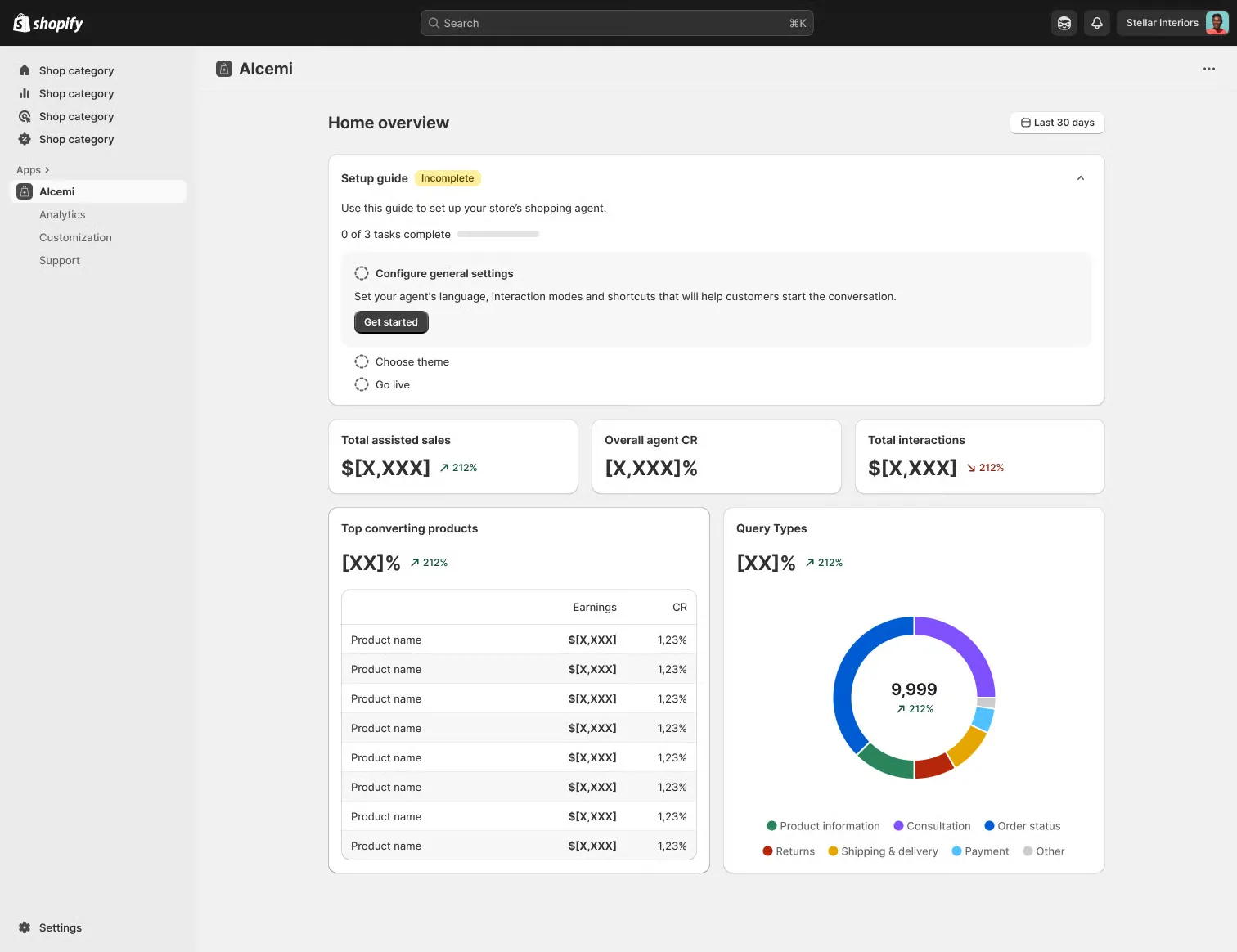
The Overview page is divided into two main sections:
1. Setup Guide
Section titled “1. Setup Guide”- Shown immediately after installation.
- Steps: configure general settings → choose a theme → go live.
- After completion, it is minimized but can be reopened at any time.
- Replaced by New Feature Alerts once setup is complete.
2. Analytics Summary
Section titled “2. Analytics Summary”A quick snapshot of how Alcemi is performing. Metrics include:
- Total assisted sales
- Agent conversion rate
- Total interactions
- Top converting products
- Query types (distribution of customer requests)
- Timeframe selector (last 7 days, last 30 days, custom)
Sidebar Navigation
Section titled “Sidebar Navigation”From the sidebar, you can also navigate to additional pages:
- Analytics: A more detailed view of performance data.
- Customization: Agent status, interaction modes, themes, store context.
- Data Storage: Add FAQs, link sources, upload files to enrich the agent’s knowledge.
- Support: Direct support contact and links to official documentation.